What is MLO?
Summary:
Multi-Link Operation (MLO) allows Multi-Link Devices (MLDs) to maintain associations and simultaneously transmit data across multiple frequency bands, including 2.4-GHz, 5-GHz, and 6-GHz band.
I recently set out to setup and test WiFi7 MLO in my lab environment using the Cisco C9800 and a C9178D and was a both surprised and dissapointed by my findings.
It was a bit difficult to setup and I had some trouble following the AFC and SP configuration via Cisco’s documentation. There was some trial and error but was eventually successful.
Try to avoid modifing the channel/power settings if your goal is to test AFC Standard Power but you may have to statically set the channel width if you would like to test 320Mhz wide channels.
Also, pay close attention to the WLAN security settings and ensure they meet the cirteria for WiFi7 to enable MLO. I had success using SAE for testing MLO but had issues when testing WPA3-Enterprise security.
Important - if you plan to manage the WiFi 7 AP via a C9800 you will need to setup DNA Services to allow your DNA applianace to communicate with the cloud for AFC and allow the AP to use Standard Power.
See: C9800 AFC
Hardware
- Controller: C9800-80
- AP: C9178D
Requirements
- IOS XE 17.15.2
- WIFi7 AP
- DNA/Catalyst Center & DNA Cloud for AFC SP
Cisco Guide
Config Steps
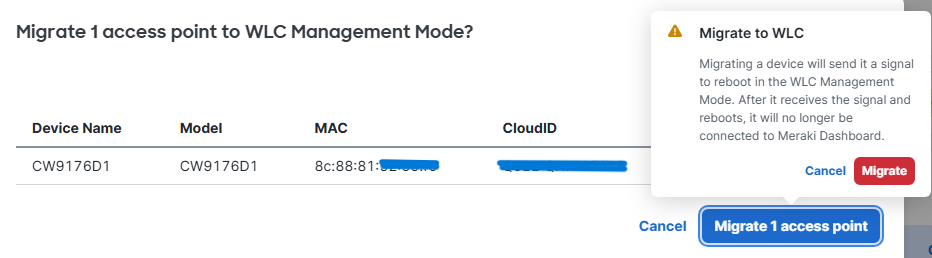
- Configure the C9178D to be managed by the C9800,
- Out of the box it defaults to Meraki
- Enable Check boxes for 802.11be (WiFi7)
- check SS/MCS boxes under 11be
Configuration > Radio Configurations > High Throughput.
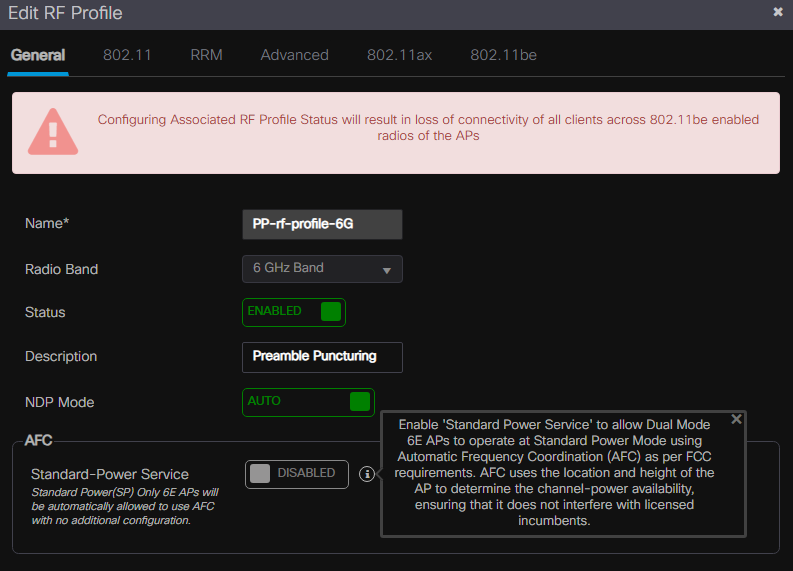
- Add a new RF Profile
- enable Preamble Puncturing
- set A-MPDU window size
Configuration > Tags & Profiles > RF/Radio
- Add a Multi BSSID Profile
- enable all 11be parameters
Configuration > Tags & Profiles > Multi BSSID.
- Check the 802.11be profile
- enable all parameters
- Create and assign new tags to your WiFi7 AP
Verification
- Check Settings
- WLAN Slot Data > MLD MAC
- 11be Parameters > Puncture reason/channels
Monitoring > Wireless > Radio Statistics > 6Ghz Band
- Check AFC
- General > AFC > Status/Request/Response
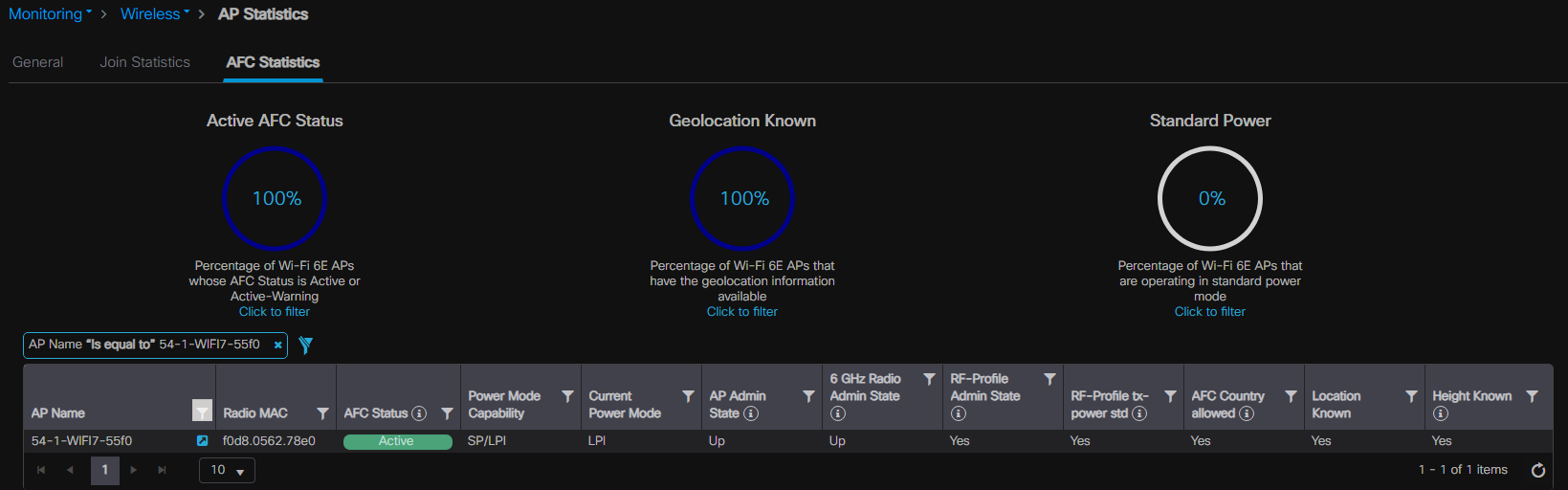
Monitoring > Wireless > AP Statistics > AFC Statistics
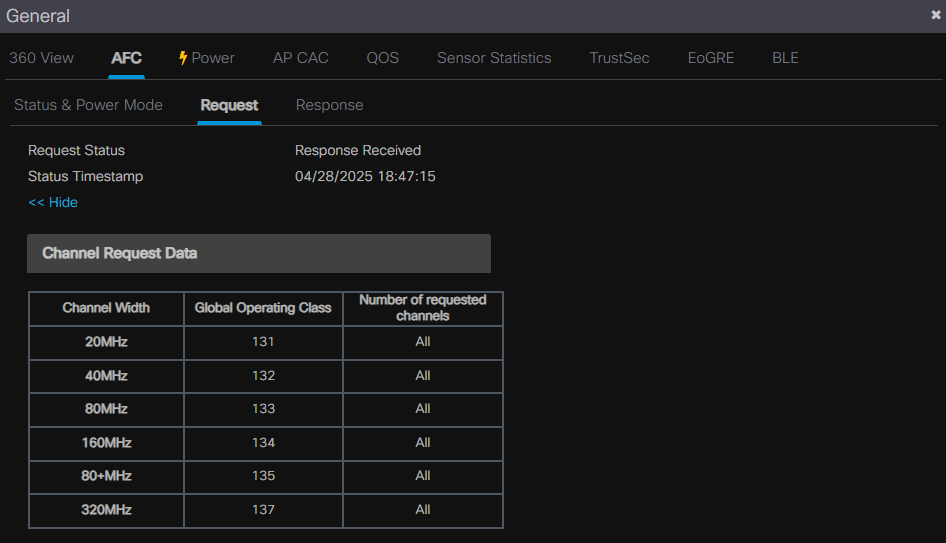
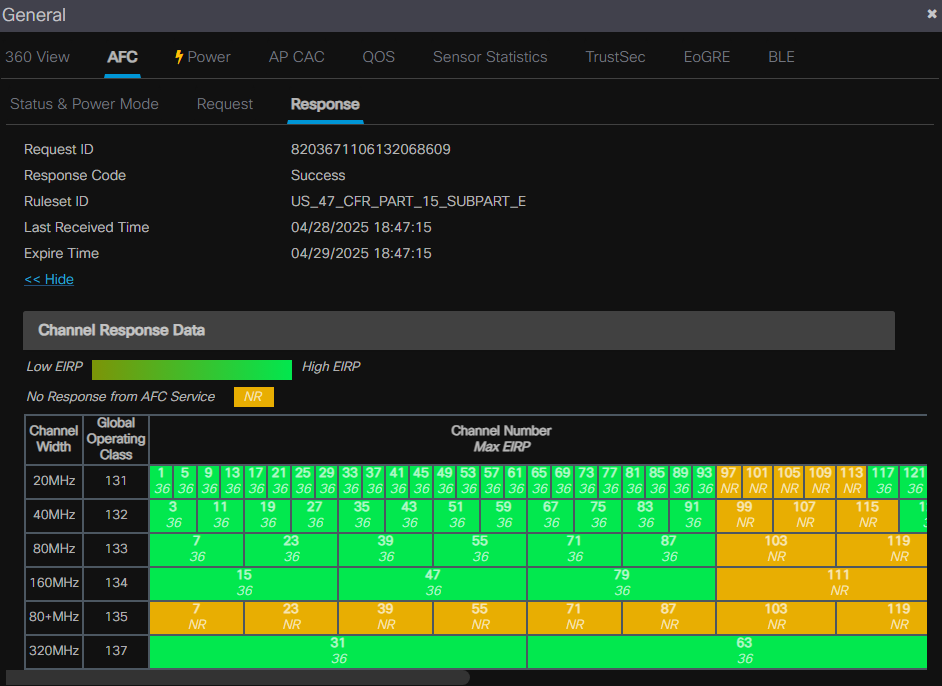
Monitoring > Wireless > AP Statistics > AFC Statistics
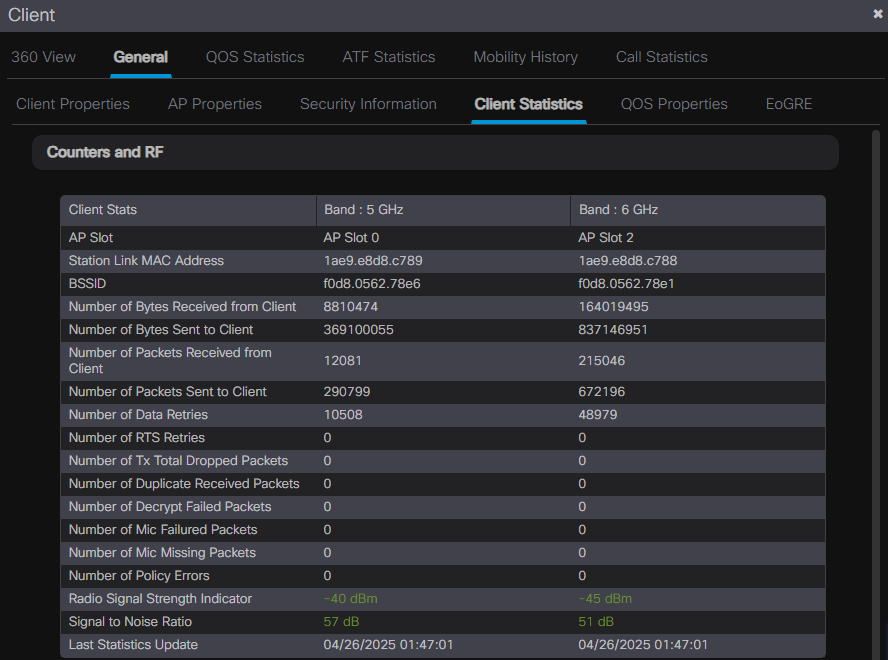
- Client MLO Verification
Monitor > Clients
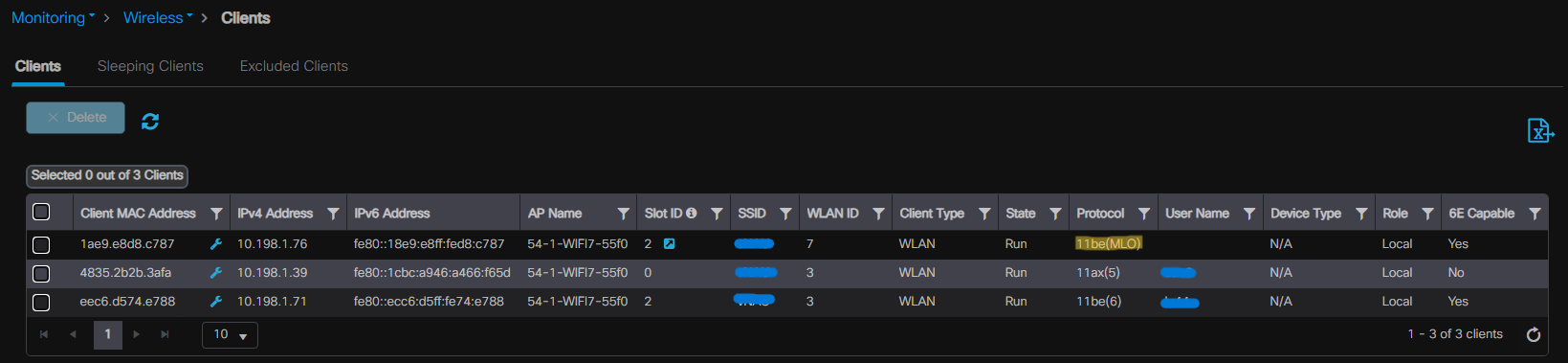
Monitor > Clients > General > Client Statistics
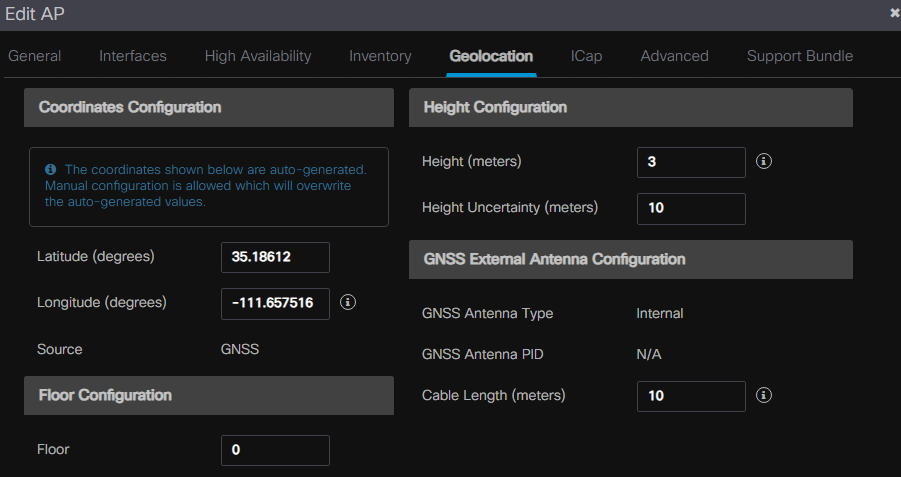
NOTE - AP heigh and location must be specified to allow for standard power.
Preamble Puncturing Testing
You can simulate preamble pucturing using the cli of the C9800 controller and a WiFi7 AP.
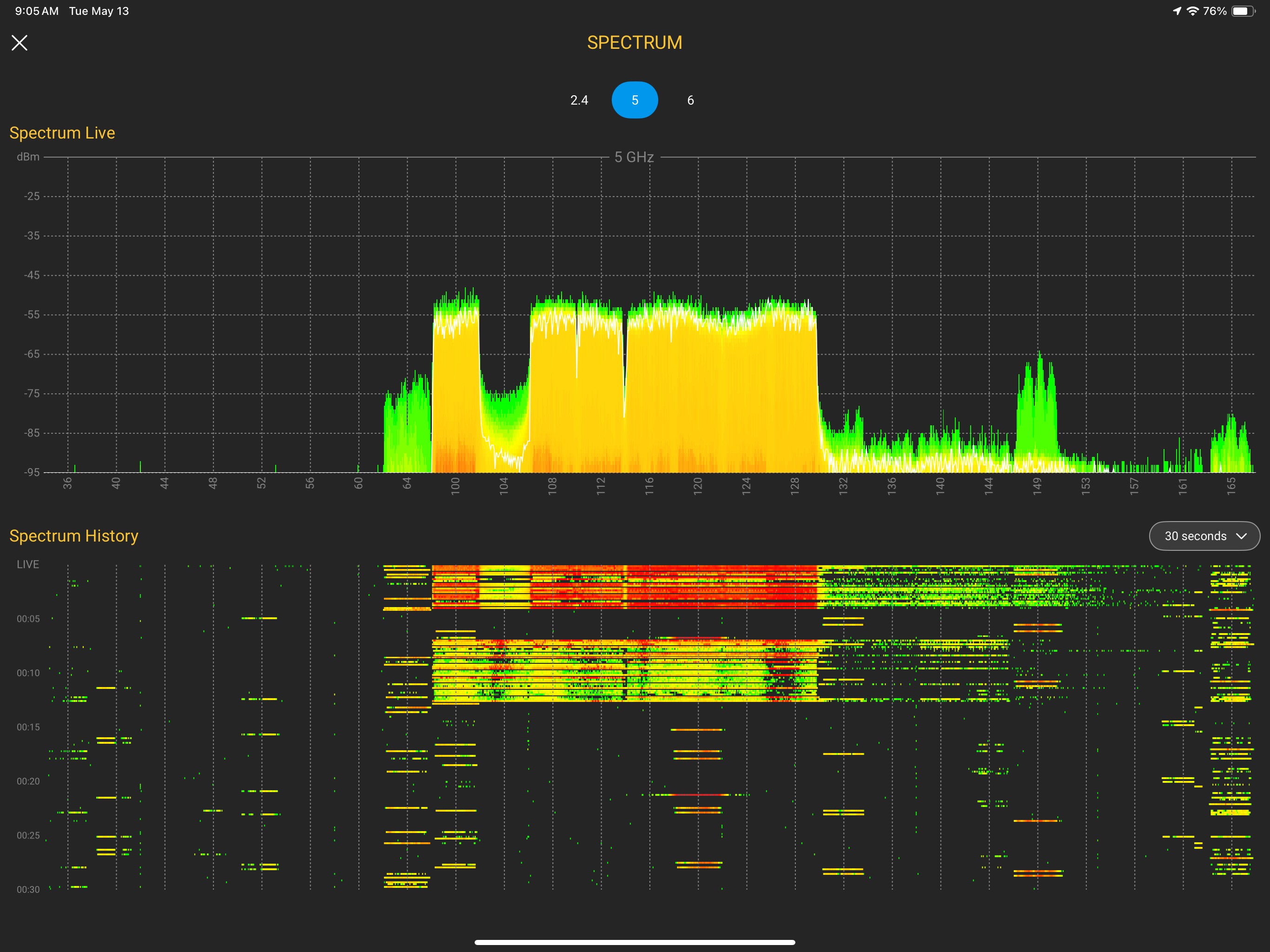
The following commands simulates preamble pucturing using channel 104 and a 20Mhz wide interferer against an AP bonded at 320Mhz using primary channel 95 in 6Ghz frequency.
Steps:
- Staticially set the AP channel
- this will disable SP if AFC is setup
- Statically set the width larger the 20 or 40Mhz
- puncturing is not allowed on smaller channel widths
WLC98#test wireless ap name <AP NAME> dot11 6ghz slot 2 puncture 104 20
WLC98#test wireless ap name <AP NAME> dot11 6ghz slot 2 puncture clear
Example:
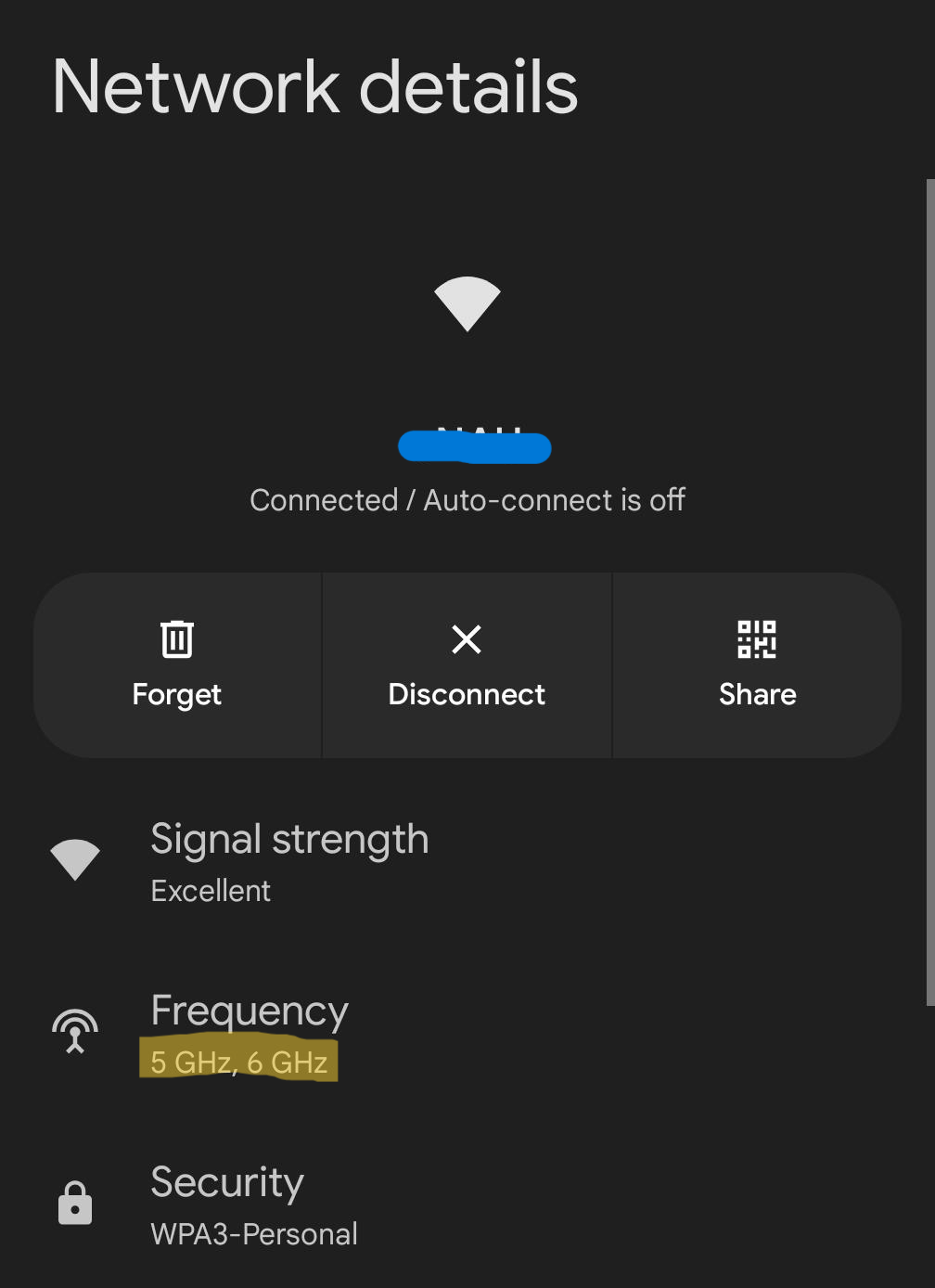
Pixel8 Network Details
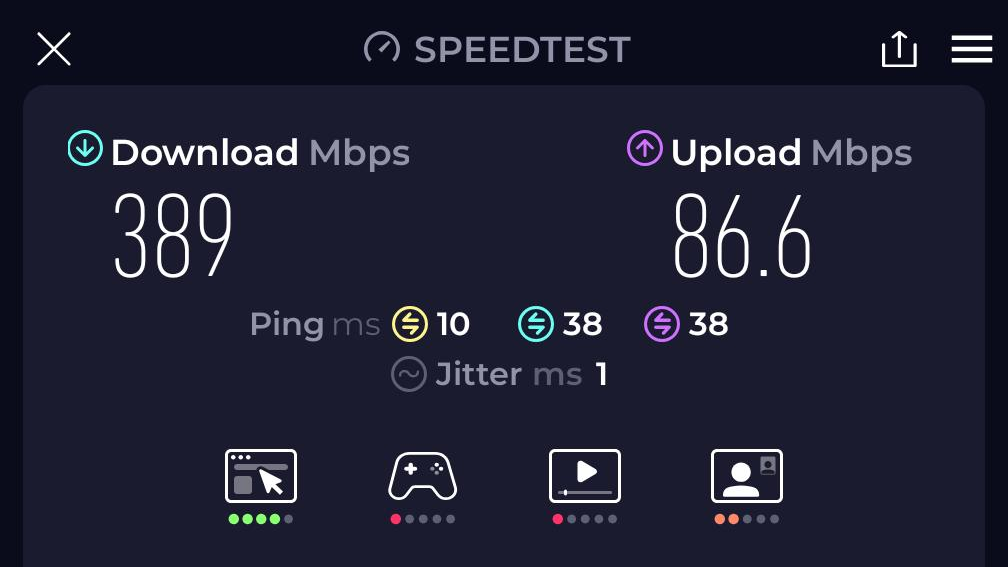
Speed Tests
- WiFi 7 AP @ 320Mhz wide channel
- MLO using 5 & 6Ghz
- Google Pixel 8
Final Thoughts
My initial speed tests were not impressive but after some tweaking and enabling AFC SP, I was able to obtain speeds closer to line rate, which in my case was around a Gig given that I was using a GigabitEthernet port on a Cisco 9200-48PXG with a 10G uplink to the internet.
I am overall impressed with the preamble puncturing and am curious to see how WiFi7 will perform in a very high dense enivronment but have high hopes for the redundancy MLO will provide to clients.